A real photo editor,
right in your browser.
Palimpso is a layered image editor in the spirit of Photoshop. It's free, needs no account or install, works on computers, tablets and phones, and your images never leave your device.
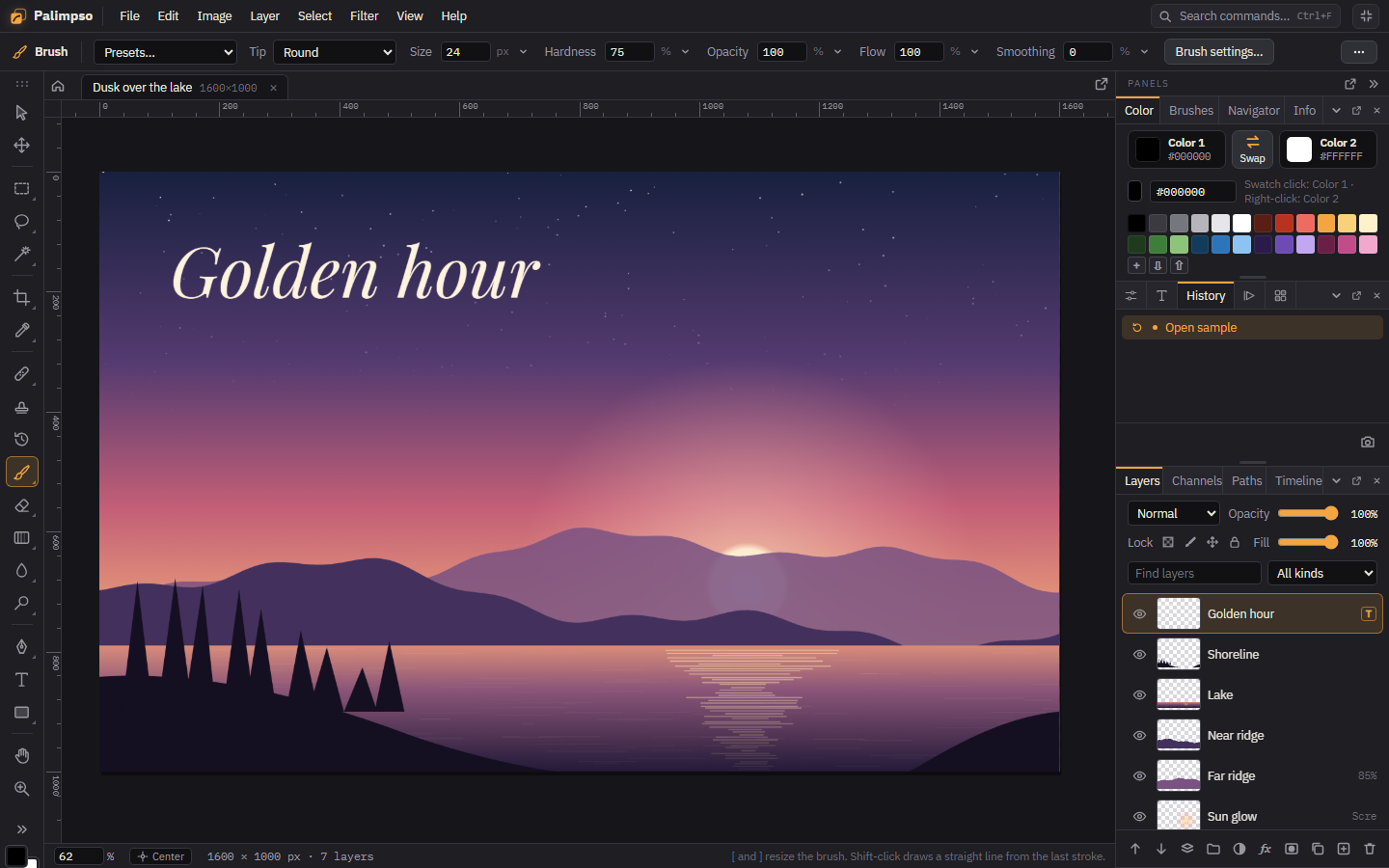
Layers, the way you expect them
Build images from as many layers as you need, and change your mind later.
- Blend modes, opacity and fill, groups and clipping
- Layer masks and vector masks
- Adjustment layers: Curves, Levels, Hue/Saturation and more
- Editable text and vector shapes
- Undo history with snapshots
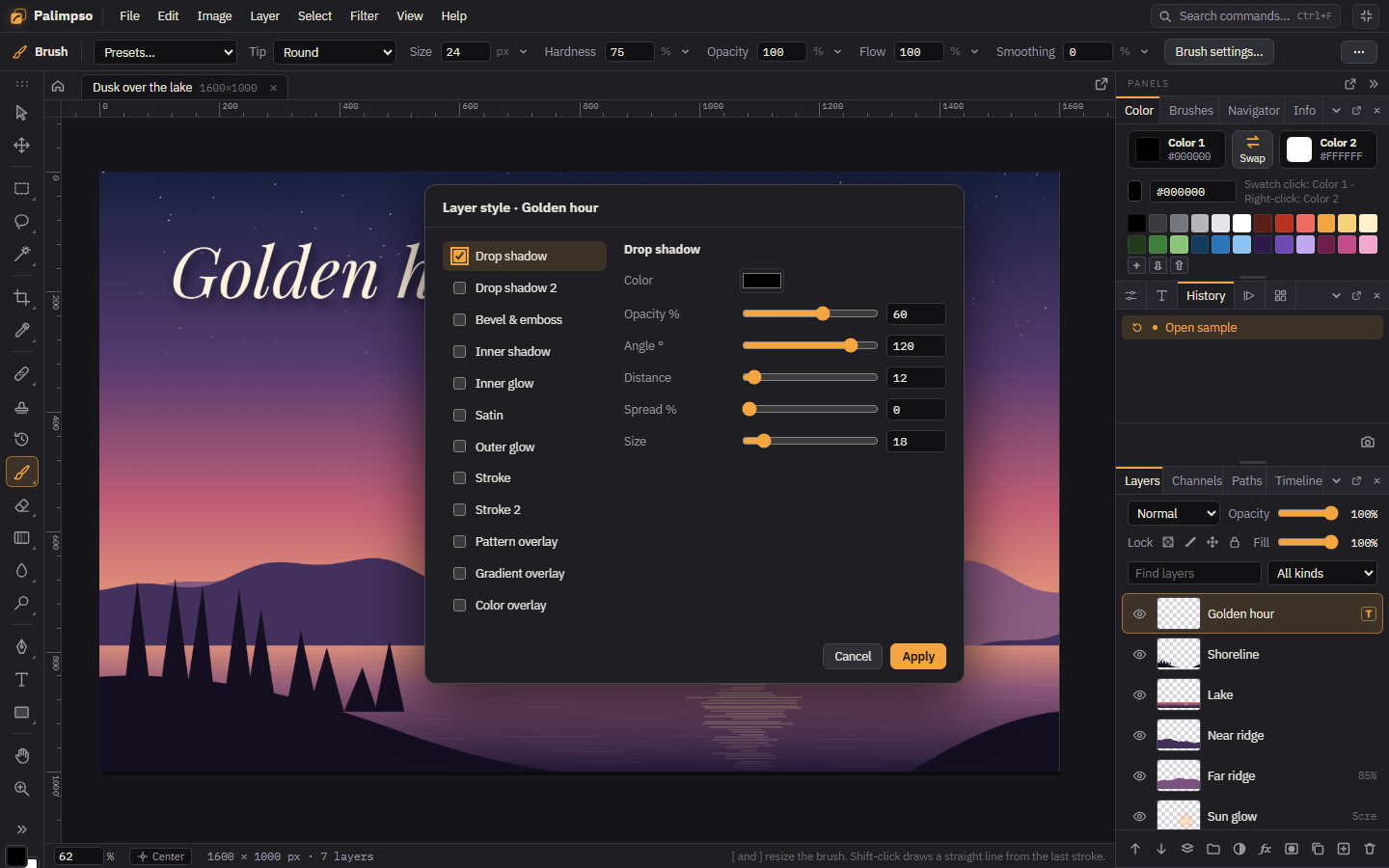
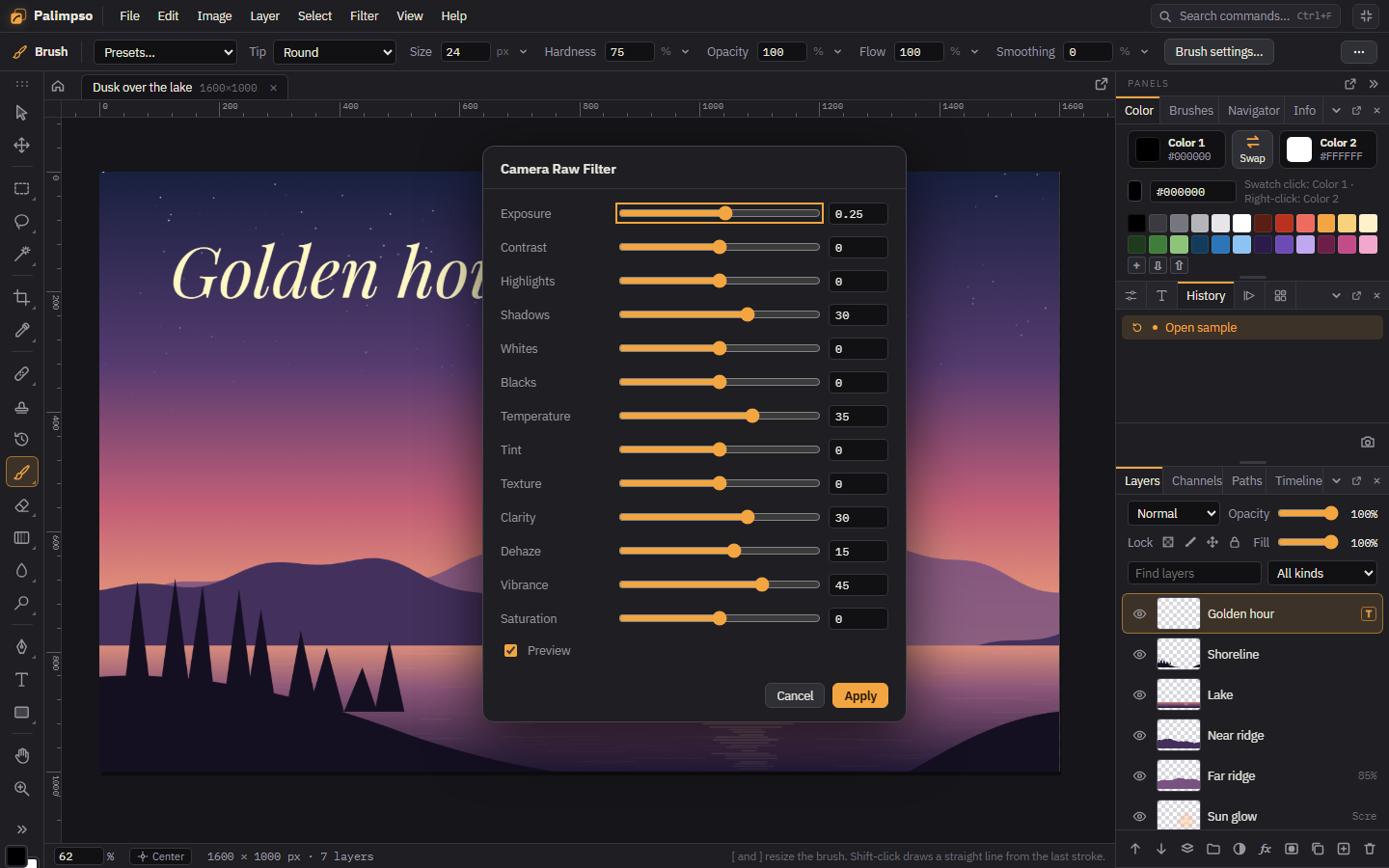
Photo tools that go deep
Develop and retouch photos with tools usually found only in desktop software.
- Camera Raw filter: exposure, white balance, clarity, dehaze, vibrance
- 16-bit editing for smooth skies and gradients
- Healing, clone stamp, content-aware fill and remove
- Blur gallery, noise reduction, liquify and dozens of filters
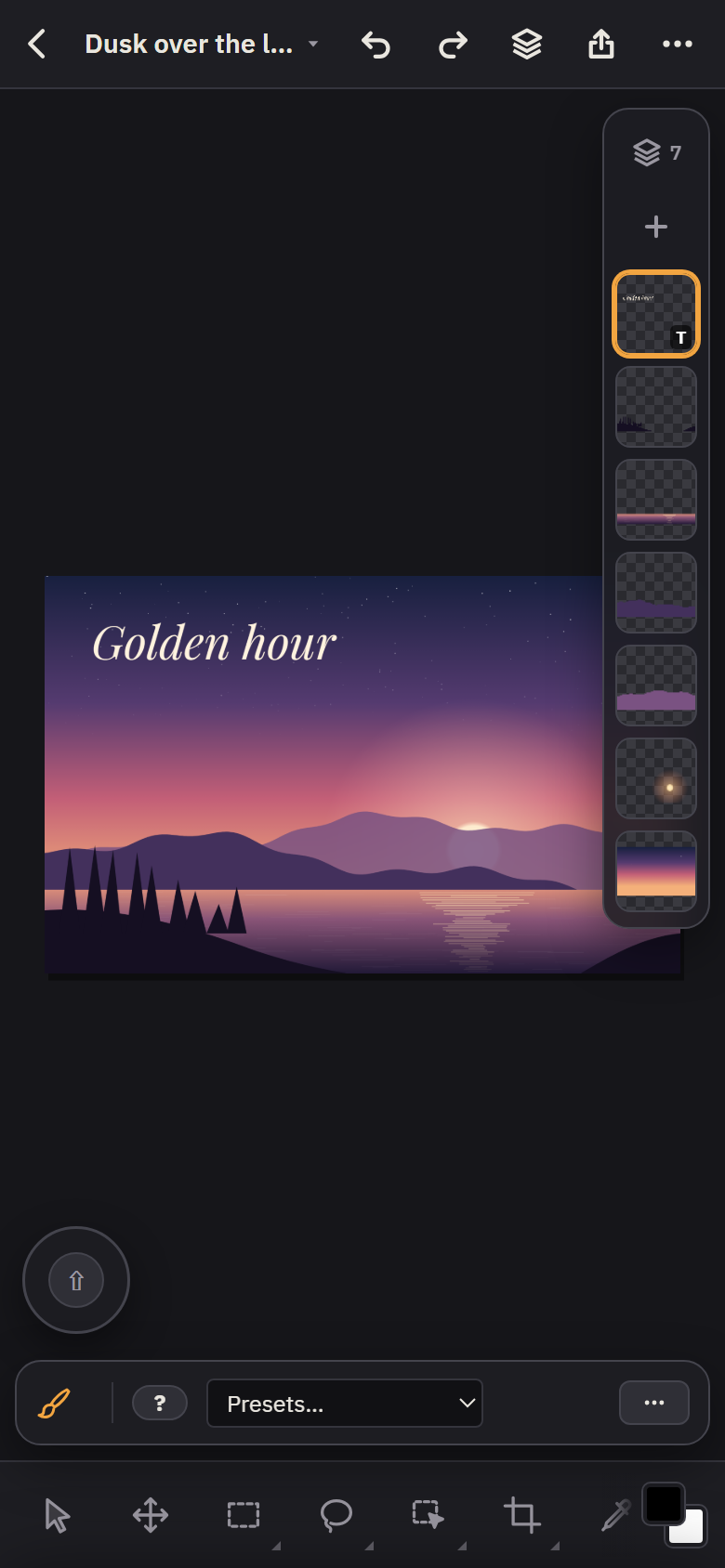
Made for touch, too
Palimpso works on phones and tablets as well as computers, with a layout built for fingers and an Apple Pencil or other stylus.
- Pinch to zoom, two fingers to pan and rotate; tap with two fingers to undo, three to redo
- Palm rejection once you pick up a pen, and a long press for the right-click menus
- On phones: layer thumbnails at the side, tool options above the tools, and panels in a sheet you swipe up
- A touch shortcut for Shift and Alt, plus Esc and Done buttons when there's no keyboard
- Every tool explains how to use it with a finger the first time you pick it
- Add it to your home screen and it opens like an app
Everything you'd reach for
A few highlights. There's a lot more in the menus, and Ctrl+F searches every command.
Opens your files
PSD (layers, masks, text, adjustments), GIMP XCF, TIFF, PDF, SVG, camera RAW previews, PNG, JPG, WebP and GIF.
Saves them too
Layered PSD, PNG, JPG, WebP, 16-bit PNG and TIFF, PDF, SVG, animated GIF, and CMYK for print.
Serious color
ICC profiles, CMYK soft proofing and gamut warnings, and a Display P3 wide-gamut working space.
Brushes and painting
Pressure-aware brushes, Photoshop .abr brush import, mixer brush, symmetry painting and pattern fills.
Smart selections
Magnetic lasso, quick selection, select subject and sky, refine edges and quick mask.
Animation
A frame timeline with tweening, exported as animated GIF or WebP.
Your workspace
Dockable panels, and pop-out windows for tools, panels and each image, handy on a second monitor.
Picks up where you left off
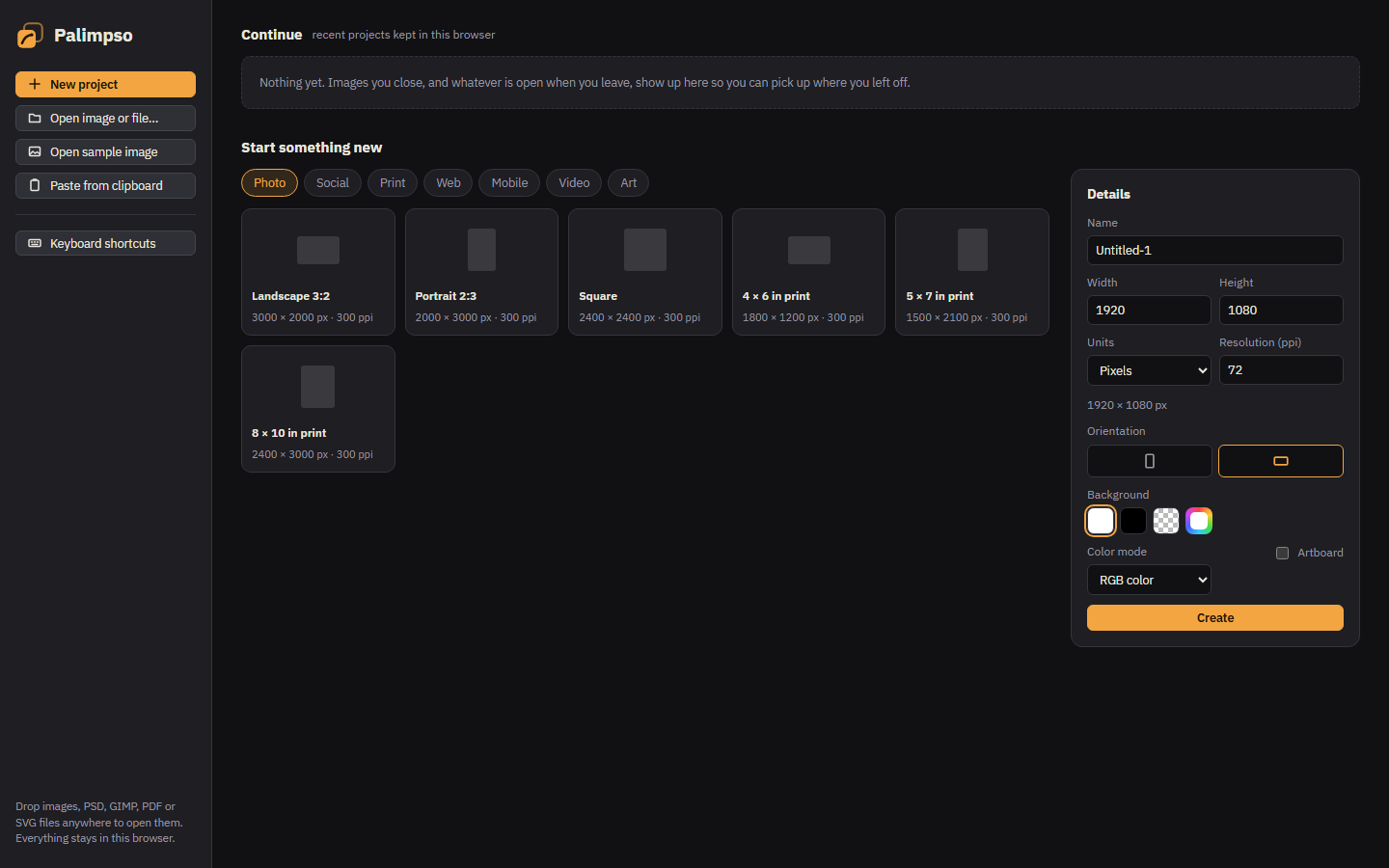
Autosave and recent projects, kept in your browser. Works offline once loaded, and installs like an app.
Private by design
Palimpso runs entirely on your device. There's no upload step and no server that sees your work: images are opened, edited and saved inside your browser, and projects are kept in your browser's own storage.
No account, no ads, and no tracking of what you make.
Free for everyone
Palimpso is funded by the people who use it. If it's useful to you, you can help keep it going. Questions, ideas or problems: [email protected].